

Paying taxes is a duty of every responsible citizen and business in India. One such important component of the tax system is Tax Deducted at Source (TDS).
Every individual, company, or stock advisory company that makes specific payments like salary, interest, or professional fees must deduct tax at source and deposit it with the government.
To ensure transparency and record-keeping, deductors must file TDS returns quarterly. Thanks to digital advancements, the TDS online upload process has become seamless and user-friendly through the TRACES Portal and the Income Tax e-filing portal.
This guide provides a comprehensive walkthrough of how to do TDS online upload, including prerequisites, common mistakes to avoid, and penalties for late filing.
What is TDS Online Upload?
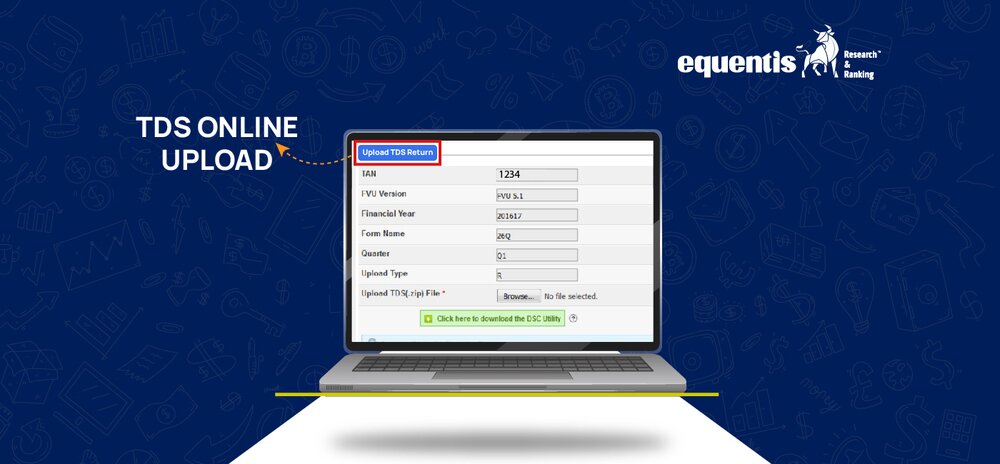
TDS online upload is the digital submission of TDS returns through the TRACES (TDS Reconciliation Analysis and Correction Enabling System) or the Income Tax e-filing portal. This return contains detailed information such as PAN of the deductee, amount paid, TDS deducted and deposited, and more.
These details help the government track tax credits and aid in income tax calculation on salary or other payments.
Why Timely Uploading of TDS Returns is Important
- Ensures smooth processing of TDS credit for the deductee.
- Avoids penalties under direct tax laws.
- Helps businesses maintain clean compliance records.
- Builds trust with employees, clients, and regulatory bodies.
- Essential for financial institutions and professional tax audits.
Pre-requisites for Uploading TDS Returns
Before you proceed with uploading your TDS file, make sure you have the following essentials ready.
Valid TAN Registration on TRACES Portal
Your TAN (Tax Deduction and Collection Account Number) must be registered on the TRACES portal. Without this, you cannot file TDS returns. TAN is mandatory for all individuals or organizations responsible for deducting TDS.
To register, visit TRACES website and follow the registration process.
Digital Signature Certificate (DSC) for TDS Filing
If you’re a corporate entity or uploading large TDS files, a Class 2 or Class 3 Digital Signature Certificate is mandatory. DSC authenticates your digital submission and enhances security. In case of no DSC, you may be limited to manual form filing in some cases.
Correctly Prepared TDS File (.fvu Format)
The return must be prepared using RPU (Return Preparation Utility) available on the TIN NSDL website and then validated using FVU (File Validation Utility). This tool ensures the format is error-free and complies with the tax department’s standards.
Ensure your file is saved in the .fvu format, as this is the only acceptable format for TDS online uploads.
Availability of Form 27A (for Manual Submissions)
Form 27A is a summary of the TDS/TCS return and is needed only if you’re submitting the return physically. For online uploads, this form is not mandatory, but it may be useful for your records.
Step-by-Step Guide for TDS Online Upload
Let’s now break down the process of uploading the TDS return step-by-step through the Income Tax e-Filing portal:
Step 1: Login to the Income Tax e-Filing Portal
- Visit https://www.incometax.gov.in
- Click on “Login”
- Use your TAN credentials (not PAN) to log in.
- Enter the required CAPTCHA code and click “Continue”.
Step 2: Navigate to TDS → Upload TDS
- After login, click on “e-File” from the top menu.
- Go to “Income Tax Forms” → “File Income Tax Forms”.
- Select Form No. 24Q, 26Q, 27Q, or 27EQ (based on the type of return you are uploading).
- Click on the “File Now” button next to the relevant form.
Step 3: Select the Form Type and Financial Year
- Choose the form type:
- 24Q for salary payments
- 26Q for other payments to residents
- 27Q for payments to non-residents
- 27EQ for TCS returns
- Select the Financial Year and the relevant Quarter.
- Mention the appropriate filing type: Original or Revised return.
Step 4: Upload the TDS .fvu File
- Click on “Attach File”.
- Upload the .fvu file prepared using the FVU utility.
- Ensure that the file is not zipped or corrupted.
Step 5: Attach DSC (if required) and Submit
- If you are required to upload using a DSC:
- Click on “Attach DSC”
- Use the emSigner utility for digital signing
- Once the DSC is attached, click “Submit”.
If you are not using DSC, the form may be validated through electronic verification code (EVC) for some categories of deductors.
Step 6: Confirmation and Acknowledgment Receipt
- After successful upload, a 15-digit Token Number will be generated.
- Download the Acknowledgment Receipt for your records.
- You can use this token number to track the status of your TDS return on the portal.
Common Mistakes to Avoid While Uploading TDS Returns
Mistakes during the TDS online upload process can result in rejection or demand notices. Here are common errors to be careful about:
Mismatch in TAN or PAN Details
- Always double-check the TAN used for logging in and the TAN mentioned in the return.
- Ensure that the PAN numbers of deductees are correct and verified.
Wrong Financial Year or Quarter Selection
- Filing a return for the wrong year or quarter can misreport your TDS compliance and affect deductee credit.
- Cross-check the financial year in the file and form before submission.
Incorrect File Format or Validation Errors
- Make sure the .fvu file is validated without any error using the FVU utility.
- Avoid uploading .txt or .xls files; these formats are not accepted.
Consequences of Non-Filing or Late Filing of TDS Returns
Ignoring TDS return filing deadlines or submitting incorrect returns can result in financial penalties and compliance issues.
Penalties Under Section 234E and 271H
- Section 234E:
- A late fee of ₹200 per day until the return is filed.
- Capped to the TDS amount.
- Section 271H:
- If incorrect information is filed or returns are not filed within 1 year, a penalty ranging from ₹10,000 to ₹1,00,000 may apply.
Impact on TDS Credit to Deductees
- If the return is not filed or is erroneous, the deductee will not get credit for the tax deducted.
- This can delay income tax refund claims or even result in demand notices for the deductee.
- Especially in companies like a stock advisory company, this can damage trust and client relationships.
Conclusion
Timely and accurate TDS online upload is not merely a compliance formality; it plays a crucial role for businesses, salaried individuals, and consultants alike. It ensures that deductees receive proper TDS credit, helps avoid penalties and interest, and facilitates a smoother income tax calculation process for salaries.
Moreover, it supports adherence to both direct tax and professional tax regulations. Although the online TDS filing process may seem technical at first, it becomes straightforward when all prerequisites are in place.
FAQs
Can TDS returns be uploaded without a DSC?
Yes, Digital Signature Certificate (DSC) is not mandatory for all deductors. Individuals and firms not required to use DSC can file returns using EVC (Electronic Verification Code).
How do I correct errors after uploading the TDS return?
You can file a Revised TDS Return using the same method as the original return. Ensure you select the “Revised” option when uploading and reference the Token Number of the original return.
What is the file format for TDS upload?
The acceptable file format for TDS online upload is .fvu. This is generated using the Return Preparation Utility (RPU) and validated through the File Validation Utility (FVU) available on the NSDL TIN website.
Is it mandatory to file TDS returns quarterly?
Yes, filing TDS returns is mandatory on a quarterly basis, with specific due dates for each quarter: for Q1 (April to June), the deadline is 31st July; for Q2 (July to September), it’s 31st October; for Q3 (October to December), it’s 31st January; and for Q4 (January to March), the due date is 31st May.
Disclaimer Note: The securities quoted, if any, are for illustration only and are not recommendatory. This article is for education purposes only and shall not be considered as a recommendation or investment advice by Equentis – Research & Ranking. We will not be liable for any losses that may occur. Investments in the securities market are subject to market risks. Read all the related documents carefully before investing. Registration granted by SEBI, membership of BASL & the certification from NISM in no way guarantee the performance of the intermediary or provide any assurance of returns to investors.

Yash Vora is a financial writer with the Informed InvestoRR team at Equentis. He has followed the stock markets right from his early college days. So, Yash has a keen eye for the big market movers. His clear and crisp writeups offer sharp insights on market moving stocks, fund flows, economic data and IPOs. When not looking at stocks, Yash loves a game of table tennis or chess.