


Introduction
From signing physical documents to managing everything online, technology has changed the way we work. For businesses, a Digital Signature Certificate (DSC) works much like an individual’s signature, representing the company’s approval on electronic documents.
But how is a DSC registered? Does the process vary between the new vs old tax regimes? Let’s understand…
What is a Digital Signature Certificate (DSC)?
A DSC is an electronic form of a physical signature that is used to sign documents digitally. In India, it helps authenticate the identity of the person filing income tax returns or other filings on government portals.
DSC contains details such as the owner’s name, public key, certifying authority, and signature. It is issued as a USB token with a validity of 1 to 2 years (renewable on expiry). Plus, only licensed certifying authorities approved by the Controller of Certifying Authorities (CCA) are allowed to issue these certificates.
There are three classes of DSC:
- Class 1 – For individuals and private subscribers
- Class 2 – For individuals and business professionals
- Class 3 – For individuals and organisations for high-value transactions
Importance of DSC in Income Tax Filing
A DSC brings both security and efficiency to the process of filing your tax returns online. It eliminates the risks of forgery, speeds up verification, and is legally valid under the Information Technology Act.
Using a DSC makes filing safer and faster. Many professionals, business owners, and even stock investment advisor firms prefer using DSCs for secure compliance.
When is DSC Mandatory for Income Tax Filing?
Cases Where DSC is Compulsory
Under Section 44AB of the Income Tax Act, using a DSC is mandatory for certain categories of taxpayers. If you are a professional or an individual with an annual income of ₹25 lakh or more, or if you run a business with a turnover of ₹1 crore or more, you are required to e-file your income tax return using a DSC.
Additionally, if you belong to any of these categories, signing the return with a DSC is mandatory:
- An individual, a Hindu Undivided Family (HUF), a Partnership firm, or a Limited Liability Partnership (LLP) whose accounts are audited under Section 44AB
- Companies
- Political parties
When you file and sign your ITR using a DSC, there is no need for further e-verification or for sending a physical copy of ITR-V to the Centralised Processing Centre.
Who Can Use DSC for E-Filing?
Apart from individuals and businesses where DSC is mandatory, many others choose to use a DSC for convenience and better security. Whether you are an investor following advice from a stock investment advisor, a professional claiming indirect tax credits, or an entity filing for windfall tax adjustments, having a registered DSC simplifies the process.
Before you can use it, you need to register your DSC under your e-filing account. Also note that the tax department now provides an e-filing DSC management utility to help with browser compatibility issues.
Pre-Requisites Before Registering DSC
System Requirements
Before you start the process of how to register new DSC on income tax portal, check these basics:
- You must be registered on the e-filing portal with a valid PAN and password.
- DSC should be active, not expired or revoked.
- Only Class 2 or Class 3 DSC tokens are accepted.
- Plug in the DSC USB token before starting.
- Compatible browsers: Chrome, Firefox, Internet Explorer.
- Make sure that the PAN on your DSC matches the PAN registered on your income tax portal profile.
Downloading and Installing the DSC Management Utility
DSC Management Utility (also called emsigner) is a software provided by the Income Tax portal that helps you digitally sign documents and register your DSC securely. Here’s what you need to do:
- Go to the Downloads section on the Income Tax e-filing portal.
- Download the latest version of the ’emsigner’ utility.
- Extract and install the utility correctly, and avoid fake or outdated versions.
- Check the extraction terms and ensure the installation runs without errors.
- Keep the DSC USB token connected throughout the process.
How to Register New DSC on Income Tax Portal
Step-by-Step Process to Register a New DSC
If you’re wondering how to register new DSC on income tax portal, here are the steps:
- Log in to the Income Tax portal.
- Go to “My Profile” → “Register DSC.”
- Download and install the DSC Management Utility if you haven’t already.
- Plug in your DSC USB token to your computer.
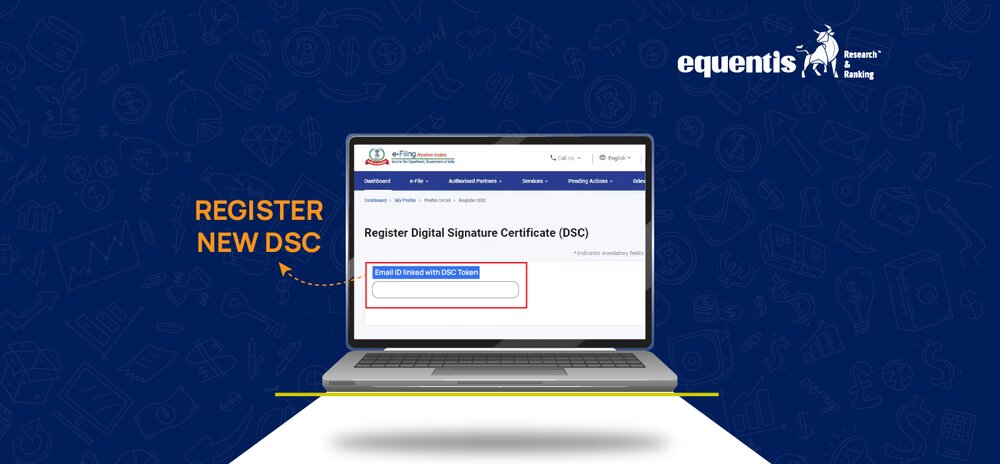
- Enter the email ID linked with your DSC, check “I have downloaded and installed emSigner utility”, and click Continue.
- Select the Provider (Certifying Authority), choose the correct Certificate, and enter the DSC token password.
- Click Sign. Once successful, you’ll see a message confirming DSC registration. You’ll also get a confirmation email on your registered email ID
Selecting the Correct DSC Provider
Make sure you select an authorised Certifying Authority (CA). The list of valid providers include:
- eMudhra CA
- NSDL e-Gov CA
- Safescrypt
- GNFC
- Capricorn CA
- Verasys CA
- CDAC CA
- IDRBT
- Indian Air Force
Generating the Signature File
- After inserting the DSC USB token and launching the DSC Management Utility, you need to generate a signature file.
- Enter your e-filing User ID and registered PAN.
- Choose your DSC type (USB Token or .pfx file), and use the utility to generate the signature file required for uploading.
Uploading Signature File on Portal
- Once the signature file is generated, go back to Register DSC in your income tax portal profile.
- Upload the signature file and submit.
- You will receive an on-screen success message and an email notification once the DSC is successfully registered.
How to Re-Register DSC on Income Tax Portal
Situations When Re-Registration is Required
You need to re-register your DSC if:
- You renew or replace your DSC
- You change your authorised signatory
- You change your USB token/device
Step-by-Step Process for Re-Registration
The re-registration process is similar to the initial registration:
- Log in to the portal
- Go to “My Profile” → “Register DSC”
- Upload the new signature file
How to Update DSC Details on the Portal
Steps to Update Expired or Revoked DSC
If your DSC has expired or been revoked:
- Get a new DSC issued
- Generate a new signature file
- Upload it to the portal to update your details
Changing Authorized Signatory DSC
For businesses, if your authorised signatory changes:
- Update the signatory details in the profile
- Re-register the DSC of the new signatory
Common Issues While Registering DSC
Browser Compatibility Problems
Sometimes the DSC Utility does not work due to browser settings. Use the recommended browsers and update your Java version.
Signature File Errors
Invalid or expired DSC often causes signature file errors. Ensure your DSC is active and correctly issued.
Solutions to Common DSC Registration Problems
If your DSC is not recognised:
- Try reinstalling the DSC Utility
- Use another browser
- Check whether PAN is embedded in the DSC
Conclusion
Ensuring Smooth DSC Registration for Seamless E-Filing
Once you understand how to register a new DSC on the income tax portal, keeping it updated is simple. Make sure your DSC is valid before filing deadlines. Whether you are managing filings related to windfall tax or any other obligations, having your DSC ready ensures your e-filing process remains smooth.
FAQs
- Can DSC be registered without a PAN?
No, PAN must be embedded in your DSC for it to be registered.
- How long is a registered DSC valid on the Income Tax Portal?
A DSC is valid as per its expiry date (1-2 years). You need to re-register after renewal.
- Can I use the same DSC for multiple PAN accounts?
No, DSC is linked to a single PAN.
- What to do if the DSC is not showing up while registering?
Check your system settings, update Java, reinstall the DSC utility, and confirm that your DSC token is active.
Disclaimer Note: The securities quoted, if any, are for illustration only and are not recommendatory. This article is for education purposes only and shall not be considered as a recommendation or investment advice by Equentis – Research & Ranking. We will not be liable for any losses that may occur. Investments in the securities market are subject to market risks. Read all the related documents carefully before investing. Registration granted by SEBI, membership of BASL & the certification from NISM in no way guarantee the performance of the intermediary or provide any assurance of returns to investors.

Yash Vora is a financial writer with the Informed InvestoRR team at Equentis. He has followed the stock markets right from his early college days. So, Yash has a keen eye for the big market movers. His clear and crisp writeups offer sharp insights on market moving stocks, fund flows, economic data and IPOs. When not looking at stocks, Yash loves a game of table tennis or chess.